

Social CTA Gradient Button
A bold gradient CTA button with a smooth shine sweep and animated arrow on hover. Pure HTML & CSS — no JavaScript needed, easy to customize.

A bold gradient CTA button with a smooth shine sweep and animated arrow on hover. Pure HTML & CSS — no JavaScript needed, easy to customize.

A loading button that shows a spinner while processing and displays a success state when done. Built with HTML, CSS & JavaScript — perfect for form submissions.

An interactive magnetic hover button that follows the cursor and smoothly returns to its original position. Built with HTML, CSS and JavaScript.

An animated icon arrow button that lifts slightly while the arrow moves to the right on hover. Built with HTML and CSS for call-to-action buttons.

BUTTONS Sliding Background Button A modern button with a smooth background layer that slides across on hover. Copy the code

Create a Ripple Click Button using HTML, CSS, and JavaScript. The ripple starts exactly where the user clicks, creating smooth visual feedback with customizable colors and animation speed.

Create a Shine Shimmer Button using HTML and CSS. This lightweight hover effect sweeps a smooth light streak across the button while adding a subtle lift and shadow for extra visual feedback.
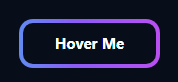
Create an Animated Border Button using HTML and CSS. The colorful gradient border flows continuously around the button, while a subtle hover lift and glow add extra visual feedback.

Create a 3D Press Button using HTML and CSS. The button uses layered shadows and a smooth press-down effect to create realistic, tactile feedback without JavaScript.

Create a Glassmorphism Button using HTML and CSS. The translucent background, backdrop blur, soft border, and smooth hover glow create a clean frosted-glass effect without JavaScript.