
Interactive Travel Destination Slider
A cinematic travel destination slider with animated hero image switching, interactive destination cards, navigation arrows and progress tracking.
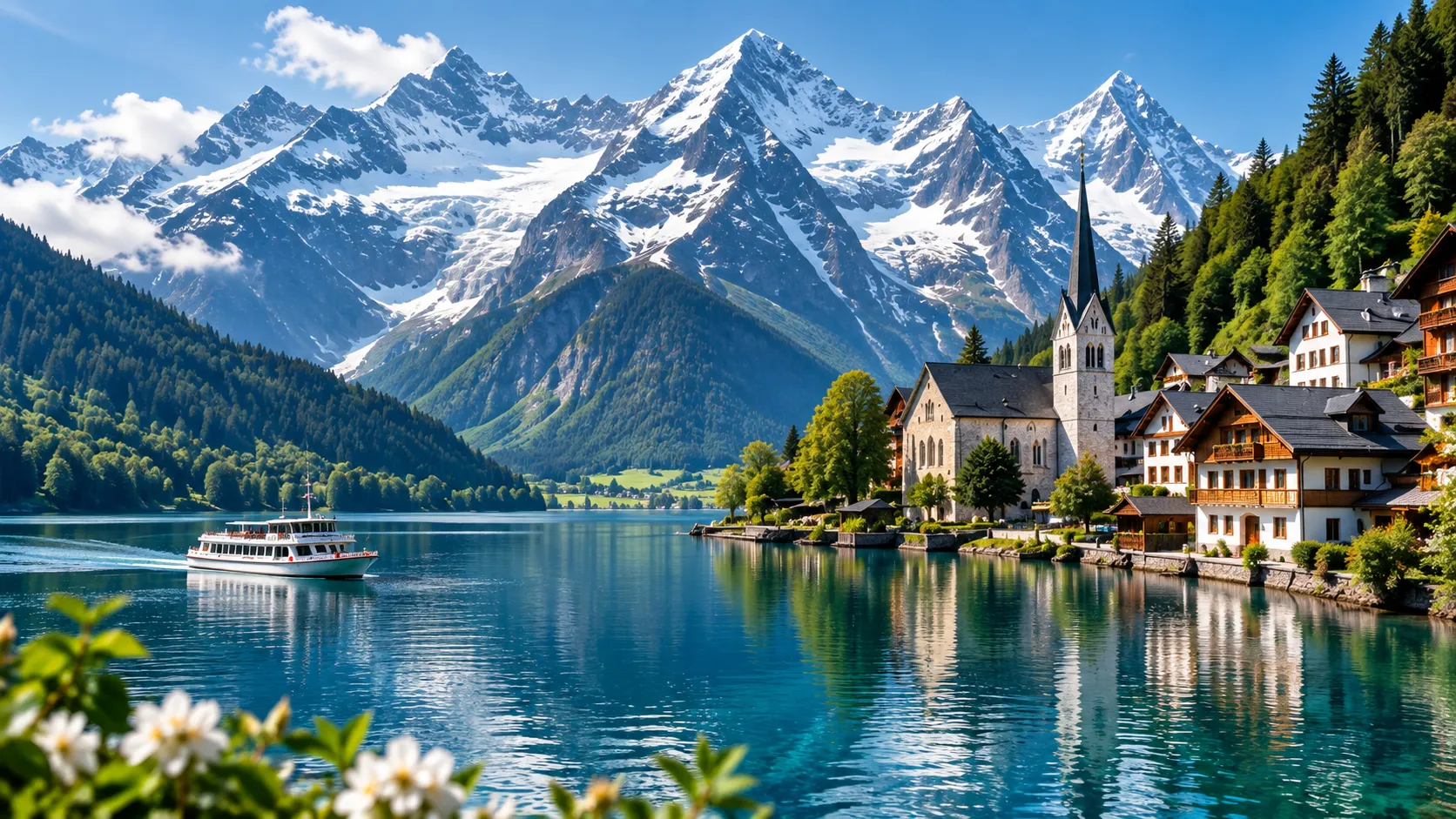
Swiss Alps
Crystal-clear lakes, dramatic mountain peaks and unforgettable Alpine landscapes.


<div class="cr-travel-stage">

  <div class="cr-travel-slider" id="travelSlider">

    <div class="cr-travel-bg">

      <img
        id="travelHeroImage"
        src="https://getcoderipple.com/wp-content/uploads/2026/09/Alpine.webp"
        alt="Swiss Alps mountain village beside a clear blue lake"
      >

    </div>


    <div class="cr-travel-overlay"></div>


    <div class="cr-travel-content">

      <span class="cr-travel-kicker">
        DISCOVER THE WORLD
      </span>

      <h2 id="travelTitle">
        Swiss Alps
      </h2>

      <p id="travelDescription">
        Crystal-clear lakes, dramatic mountain peaks and
        unforgettable Alpine landscapes.
      </p>

      <button
        class="cr-travel-explore"
        type="button"
      >
        Explore
        <span>↗</span>
      </button>

    </div>


    <div class="cr-travel-cards">


      <button
        class="cr-travel-card active"
        type="button"
        data-image="https://getcoderipple.com/wp-content/uploads/2026/09/Alpine.webp"
        data-alt="Swiss Alps mountain village beside a clear blue lake"
        data-title="Swiss Alps"
        data-description="Crystal-clear lakes, dramatic mountain peaks and unforgettable Alpine landscapes."
      >

        <img
          src="https://getcoderipple.com/wp-content/uploads/2026/09/Alpine.webp"
          alt=""
        >

        <span class="cr-card-shade"></span>

        <span class="cr-card-number">01</span>

        <span class="cr-card-copy">
          <small>SWITZERLAND</small>
          <strong>Swiss Alps</strong>
        </span>

      </button>


      <button
        class="cr-travel-card"
        type="button"
        data-image="https://getcoderipple.com/wp-content/uploads/2026/09/Sakura.webp"
        data-alt="Mount Fuji with Japanese pagoda and pink cherry blossoms at sunset"
        data-title="Kyoto Japan"
        data-description="Cherry blossoms, iconic temples and peaceful Japanese scenery beneath a glowing sunset."
      >

        <img
          src="https://getcoderipple.com/wp-content/uploads/2026/09/Sakura.webp"
          alt=""
        >

        <span class="cr-card-shade"></span>

        <span class="cr-card-number">02</span>

        <span class="cr-card-copy">
          <small>JAPAN</small>
          <strong>Kyoto</strong>
        </span>

      </button>


      <button
        class="cr-travel-card"
        type="button"
        data-image="https://getcoderipple.com/wp-content/uploads/2026/09/Marrakech.webp"
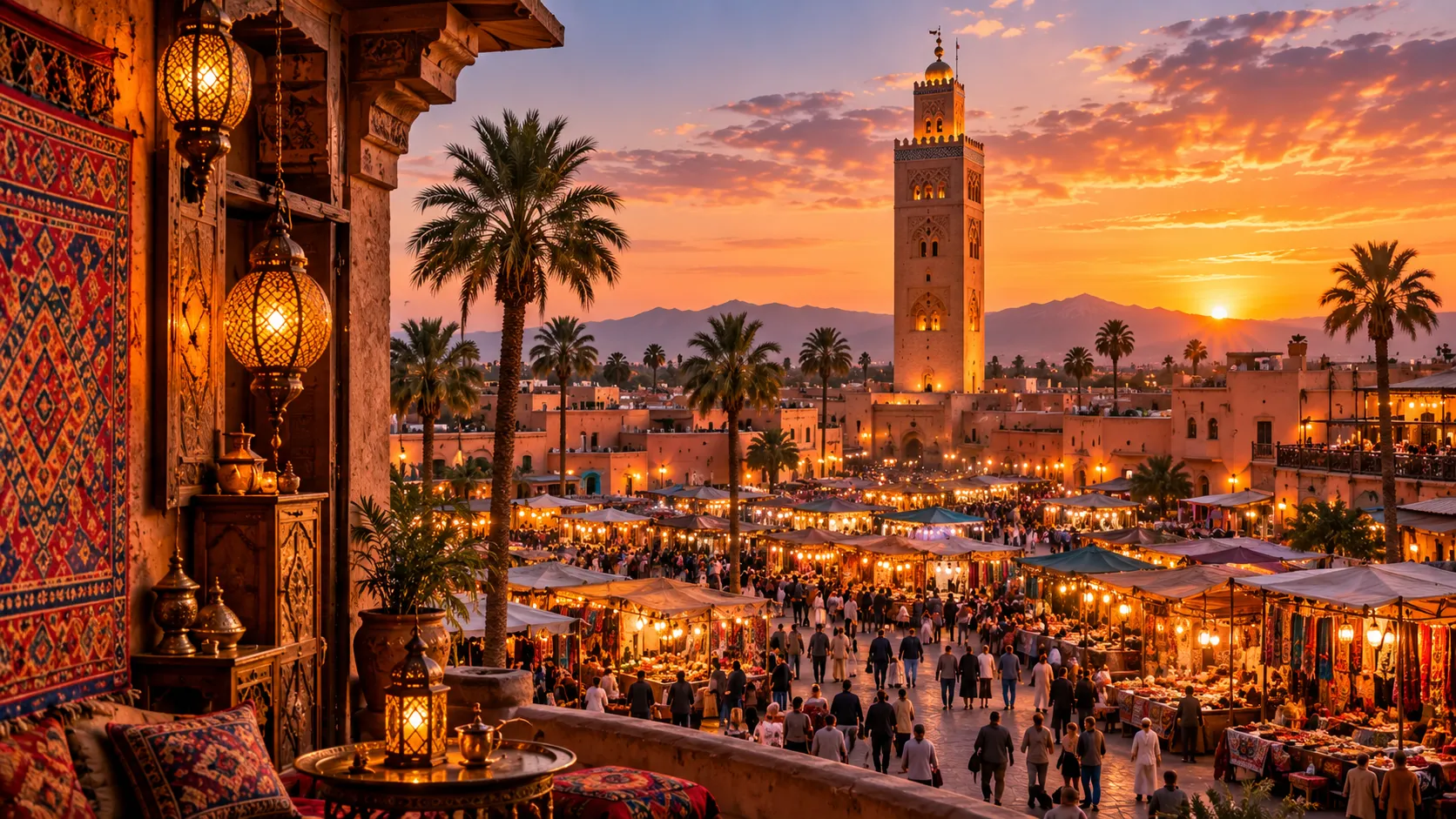
        data-alt="Marrakech market and historic minaret glowing at sunset"
        data-title="Marrakech"
        data-description="Golden sunsets, vibrant markets and rich Moroccan architecture filled with color and energy."
      >

        <img
          src="https://getcoderipple.com/wp-content/uploads/2026/09/Marrakech.webp"
          alt=""
        >

        <span class="cr-card-shade"></span>

        <span class="cr-card-number">03</span>

        <span class="cr-card-copy">
          <small>MOROCCO</small>
          <strong>Marrakech</strong>
        </span>

      </button>


      <button
        class="cr-travel-card"
        type="button"
        data-image="https://getcoderipple.com/wp-content/uploads/2026/09/Yosemite.webp"
        data-alt="Yosemite Valley with mountains waterfall and river at sunset"
        data-title="Yosemite"
        data-description="Towering granite cliffs, waterfalls and wild landscapes illuminated by the setting sun."
      >

        <img
          src="https://getcoderipple.com/wp-content/uploads/2026/09/Yosemite.webp"
          alt=""
        >

        <span class="cr-card-shade"></span>

        <span class="cr-card-number">04</span>

        <span class="cr-card-copy">
          <small>CALIFORNIA</small>
          <strong>Yosemite</strong>
        </span>

      </button>

    </div>


    <div class="cr-travel-controls">

      <button
        class="cr-travel-arrow"
        id="travelPrev"
        type="button"
        aria-label="Previous destination"
      >
        ←
      </button>


      <div class="cr-travel-progress">

        <span
          class="cr-travel-current"
          id="travelCurrent"
        >
          01
        </span>

        <span class="cr-travel-line">
          <i id="travelProgress"></i>
        </span>

        <span class="cr-travel-total">
          04
        </span>

      </div>


      <button
        class="cr-travel-arrow"
        id="travelNext"
        type="button"
        aria-label="Next destination"
      >
        →
      </button>

    </div>


    <div class="cr-travel-preload" aria-hidden="true">

      <img
        src="https://getcoderipple.com/wp-content/uploads/2026/09/Sakura.webp"
        alt=""
      >

      <img
        src="https://getcoderipple.com/wp-content/uploads/2026/09/Marrakech.webp"
        alt=""
      >

      <img
        src="https://getcoderipple.com/wp-content/uploads/2026/09/Yosemite.webp"
        alt=""
      >

    </div>

  </div>

</div>*{
box-sizing:border-box;
}
.cr-travel-stage{
width:100%;
min-height:760px;
display:flex;
align-items:center;
justify-content:center;
padding:45px 24px;
background:#050914;
font-family:Inter,Arial,sans-serif;
overflow:visible;
}
.cr-travel-slider{
position:relative;
width:min(1080px,100%);
height:650px;
overflow:hidden;
border:1px solid rgba(91,137,190,.32);
border-radius:30px;
background:#07101d;
box-shadow:
0 35px 90px rgba(0,0,0,.48),
0 0 50px rgba(34,211,238,.05);
}
.cr-travel-bg{
position:absolute;
inset:0;
overflow:hidden;
}
.cr-travel-bg img{
width:100%;
height:100%;
display:block;
object-fit:cover;
transform:scale(1.02);
transition:
opacity .45s ease,
transform 1.1s cubic-bezier(.2,.8,.2,1),
filter .45s ease;
}
.cr-travel-slider:hover .cr-travel-bg img{
transform:scale(1.055);
}
.cr-travel-bg img.is-changing{
opacity:.18;
transform:scale(1.10);
filter:blur(7px);
}
.cr-travel-overlay{
position:absolute;
inset:0;
z-index:2;
pointer-events:none;
background:
linear-gradient(
90deg,
rgba(2,8,18,.92) 0%,
rgba(2,8,18,.72) 27%,
rgba(2,8,18,.26) 53%,
rgba(2,8,18,.08) 100%
),
linear-gradient(
0deg,
rgba(3,8,18,.82) 0%,
transparent 48%
);
}
.cr-travel-slider::before{
content:"";
position:absolute;
z-index:3;
left:-120px;
bottom:-160px;
width:500px;
height:500px;
border-radius:50%;
background:
radial-gradient(
circle,
rgba(34,211,238,.18),
rgba(34,211,238,.05) 38%,
transparent 68%
);
filter:blur(25px);
pointer-events:none;
}
.cr-travel-slider::after{
content:"";
position:absolute;
z-index:3;
right:-150px;
top:-170px;
width:480px;
height:480px;
border-radius:50%;
background:
radial-gradient(
circle,
rgba(168,85,247,.17),
rgba(87,74,255,.05) 42%,
transparent 70%
);
filter:blur(30px);
pointer-events:none;
}
.cr-travel-content{
position:absolute;
z-index:6;
left:62px;
top:50%;
width:390px;
transform:translateY(-58%);
color:#ffffff;
}
.cr-travel-kicker{
display:inline-flex;
align-items:center;
gap:10px;
margin-bottom:15px;
color:#54e9ff;
font-size:11px;
font-weight:900;
letter-spacing:2.2px;
}
.cr-travel-kicker::before{
content:"";
width:28px;
height:2px;
background:#22d3ee;
box-shadow:0 0 12px rgba(34,211,238,.75);
}
.cr-travel-content h2{
margin:0 0 18px;
color:#ffffff;
font-size:62px;
font-weight:900;
line-height:.96;
letter-spacing:-3px;
text-shadow:0 8px 30px rgba(0,0,0,.42);
transition:
opacity .25s ease,
transform .35s ease;
}
.cr-travel-content p{
max-width:355px;
margin:0 0 28px;
color:#d2dbe7;
font-size:14px;
line-height:1.7;
text-shadow:0 3px 12px rgba(0,0,0,.5);
transition:
opacity .25s ease,
transform .35s ease;
}
.cr-travel-content.is-changing h2,
.cr-travel-content.is-changing p{
opacity:0;
transform:translateY(15px);
}
.cr-travel-explore{
min-height:46px;
display:inline-flex;
align-items:center;
justify-content:center;
gap:12px;
padding:0 22px;
border:1px solid rgba(113,226,255,.55);
border-radius:999px;
outline:none;
background:
linear-gradient(
110deg,
rgba(18,173,213,.92),
rgba(87,72,239,.92)
);
color:#ffffff;
font-family:inherit;
font-size:12px;
font-weight:800;
cursor:pointer;
box-shadow:
inset 0 1px 0 rgba(255,255,255,.28),
0 10px 28px rgba(34,211,238,.18),
0 0 25px rgba(120,80,255,.12);
transition:
transform .25s ease,
box-shadow .25s ease;
}
.cr-travel-explore span{
display:inline-block;
font-size:17px;
transition:transform .25s ease;
}
.cr-travel-explore:hover{
transform:translateY(-3px);
box-shadow:
inset 0 1px 0 rgba(255,255,255,.3),
0 14px 32px rgba(34,211,238,.24),
0 0 32px rgba(139,80,255,.18);
}
.cr-travel-explore:hover span{
transform:translate(3px,-3px);
}
.cr-travel-cards{
position:absolute;
z-index:7;
right:38px;
bottom:85px;
width:540px;
display:flex;
align-items:flex-end;
justify-content:flex-end;
gap:13px;
}
.cr-travel-card{
position:relative;
width:112px;
height:160px;
flex:0 0 112px;
padding:0 !important;
margin:0 !important;
overflow:hidden;
border:1px solid rgba(255,255,255,.28) !important;
border-radius:19px;
outline:none;
background:#0a1422 !important;
cursor:pointer;
box-shadow:
0 16px 32px rgba(0,0,0,.34),
inset 0 1px 0 rgba(255,255,255,.13);
transform:translateY(0);
transition:
width .45s cubic-bezier(.2,.8,.2,1),
flex-basis .45s cubic-bezier(.2,.8,.2,1),
height .45s cubic-bezier(.2,.8,.2,1),
transform .35s ease,
border-color .35s ease,
box-shadow .35s ease;
}
.cr-travel-card:hover{
transform:translateY(-9px);
border-color:rgba(91,230,255,.72) !important;
box-shadow:
0 20px 38px rgba(0,0,0,.4),
0 0 22px rgba(34,211,238,.16),
inset 0 1px 0 rgba(255,255,255,.18);
}
.cr-travel-card.active{
width:145px;
flex-basis:145px;
height:205px;
transform:translateY(-10px);
border-color:rgba(91,230,255,.92) !important;
box-shadow:
0 24px 45px rgba(0,0,0,.44),
0 0 0 1px rgba(34,211,238,.18),
0 0 28px rgba(34,211,238,.22),
0 0 38px rgba(139,80,255,.12);
}
.cr-travel-card img{
position:absolute;
inset:0;
width:100%;
height:100%;
display:block;
object-fit:cover;
transform:scale(1.04);
transition:transform .65s ease;
}
.cr-travel-card:hover img,
.cr-travel-card.active img{
transform:scale(1.12);
}
.cr-card-shade{
position:absolute;
z-index:2;
inset:0;
background:
linear-gradient(
180deg,
rgba(2,8,18,.02) 15%,
rgba(2,8,18,.20) 48%,
rgba(2,8,18,.88) 100%
);
}
.cr-card-number{
position:absolute;
z-index:4;
top:12px;
right:12px;
width:29px;
height:29px;
display:flex;
align-items:center;
justify-content:center;
border:1px solid rgba(255,255,255,.30);
border-radius:50%;
background:rgba(4,12,24,.36);
backdrop-filter:blur(8px);
-webkit-backdrop-filter:blur(8px);
color:#ffffff;
font-size:9px;
font-weight:800;
box-shadow:inset 0 1px 0 rgba(255,255,255,.14);
}
.cr-card-copy{
position:absolute;
z-index:4;
left:13px;
right:10px;
bottom:14px;
display:block;
text-align:left;
}
.cr-card-copy small{
display:block;
margin-bottom:4px;
color:#8feeff;
font-size:7px;
font-weight:900;
letter-spacing:1.2px;
}
.cr-card-copy strong{
display:block;
color:#ffffff;
font-size:13px;
font-weight:800;
line-height:1.15;
text-shadow:0 3px 10px rgba(0,0,0,.55);
}
.cr-travel-card.active .cr-card-copy strong{
font-size:16px;
}
.cr-travel-controls{
position:absolute;
z-index:8;
left:62px;
right:38px;
bottom:30px;
display:flex;
align-items:center;
gap:13px;
}
.cr-travel-arrow{
width:42px;
height:42px;
display:flex;
align-items:center;
justify-content:center;
padding:0 !important;
margin:0 !important;
border:1px solid rgba(255,255,255,.25) !important;
border-radius:50%;
outline:none;
background:rgba(6,17,31,.48) !important;
backdrop-filter:blur(12px);
-webkit-backdrop-filter:blur(12px);
color:#ffffff !important;
font-family:inherit;
font-size:17px;
cursor:pointer;
box-shadow:
inset 0 1px 0 rgba(255,255,255,.10),
0 8px 20px rgba(0,0,0,.2);
transition:
transform .25s ease,
background .25s ease,
border-color .25s ease,
box-shadow .25s ease;
}
.cr-travel-arrow:hover{
transform:translateY(-2px);
background:rgba(34,211,238,.18) !important;
border-color:#22d3ee !important;
box-shadow:0 0 20px rgba(34,211,238,.18);
}
.cr-travel-progress{
width:180px;
display:flex;
align-items:center;
gap:10px;
}
.cr-travel-current,
.cr-travel-total{
color:#ffffff;
font-size:10px;
font-weight:800;
letter-spacing:1px;
}
.cr-travel-total{
color:#8292a7;
}
.cr-travel-line{
position:relative;
width:110px;
height:2px;
overflow:hidden;
border-radius:99px;
background:rgba(255,255,255,.20);
}
.cr-travel-line i{
position:absolute;
left:0;
top:0;
width:25%;
height:100%;
border-radius:99px;
background:
linear-gradient(
90deg,
#22d3ee,
#8b5cf6
);
box-shadow:0 0 10px rgba(34,211,238,.55);
transition:width .45s ease;
}
.cr-travel-preload{
position:absolute;
width:0;
height:0;
overflow:hidden;
opacity:0;
pointer-events:none;
}
.cr-travel-preload img{
width:1px;
height:1px;
}
button.cr-travel-card,
button.cr-travel-card:hover,
button.cr-travel-card:focus,
button.cr-travel-card:active,
button.cr-travel-arrow,
button.cr-travel-arrow:hover,
button.cr-travel-arrow:focus,
button.cr-travel-arrow:active{
text-decoration:none !important;
}
@media(max-width:900px){
.cr-travel-slider{
height:720px;
}
.cr-travel-content{
left:38px;
top:39%;
width:360px;
}
.cr-travel-content h2{
font-size:52px;
}
.cr-travel-cards{
left:38px;
right:38px;
bottom:88px;
width:auto;
justify-content:flex-start;
}
.cr-travel-card{
width:100px;
flex-basis:100px;
height:135px;
}
.cr-travel-card.active{
width:125px;
flex-basis:125px;
height:165px;
}
.cr-travel-controls{
left:38px;
}
}
@media(max-width:620px){
.cr-travel-stage{
min-height:820px;
padding:25px 14px;
}
.cr-travel-slider{
height:760px;
border-radius:24px;
}
.cr-travel-overlay{
background:
linear-gradient(
0deg,
rgba(2,8,18,.95) 0%,
rgba(2,8,18,.55) 55%,
rgba(2,8,18,.15) 100%
);
}
.cr-travel-content{
left:24px;
right:24px;
top:55px;
width:auto;
transform:none;
}
.cr-travel-content h2{
font-size:43px;
letter-spacing:-2px;
}
.cr-travel-content p{
max-width:310px;
font-size:13px;
}
.cr-travel-cards{
left:20px;
right:20px;
bottom:105px;
width:auto;
overflow-x:auto;
justify-content:flex-start;
padding:15px 3px;
scrollbar-width:none;
}
.cr-travel-cards::-webkit-scrollbar{
display:none;
}
.cr-travel-card{
width:92px;
min-width:92px;
flex-basis:92px;
height:128px;
}
.cr-travel-card.active{
width:112px;
min-width:112px;
flex-basis:112px;
height:155px;
}
.cr-travel-controls{
left:23px;
right:23px;
bottom:34px;
}
.cr-travel-progress{
width:145px;
}
.cr-travel-line{
width:80px;
}
}document.addEventListener(
'DOMContentLoaded',
function() {
var heroImage =
document.getElementById('travelHeroImage');
var title =
document.getElementById('travelTitle');
var description =
document.getElementById('travelDescription');
var currentNumber =
document.getElementById('travelCurrent');
var progress =
document.getElementById('travelProgress');
var prevButton =
document.getElementById('travelPrev');
var nextButton =
document.getElementById('travelNext');
var cards =
document.querySelectorAll('.cr-travel-card');
var content =
document.querySelector('.cr-travel-content');
var currentIndex = 0;
function changeDestination(index) {
if (!cards.length) {
return;
}
if (index < 0) {
index = cards.length - 1;
}
if (index >= cards.length) {
index = 0;
}
var selectedCard =
cards[index];
var newImage =
selectedCard.getAttribute('data-image');
var newAlt =
selectedCard.getAttribute('data-alt');
var newTitle =
selectedCard.getAttribute('data-title');
var newDescription =
selectedCard.getAttribute('data-description');
cards.forEach(
function(card) {
card.classList.remove(
'active'
);
}
);
selectedCard.classList.add(
'active'
);
if (heroImage) {
heroImage.classList.add(
'is-changing'
);
}
if (content) {
content.classList.add(
'is-changing'
);
}
setTimeout(
function() {
if (heroImage) {
heroImage.src =
newImage;
heroImage.alt =
newAlt;
}
if (title) {
title.textContent =
newTitle;
}
if (description) {
description.textContent =
newDescription;
}
if (currentNumber) {
currentNumber.textContent =
String(index + 1).padStart(
2,
'0'
);
}
if (progress) {
var width =
((index + 1) / cards.length) * 100;
progress.style.width =
width + '%';
}
if (heroImage) {
heroImage.classList.remove(
'is-changing'
);
}
if (content) {
content.classList.remove(
'is-changing'
);
}
currentIndex =
index;
},
320
);
}
cards.forEach(
function(card,index) {
card.addEventListener(
'click',
function() {
changeDestination(
index
);
}
);
}
);
if (prevButton) {
prevButton.addEventListener(
'click',
function() {
changeDestination(
currentIndex - 1
);
}
);
}
if (nextButton) {
nextButton.addEventListener(
'click',
function() {
changeDestination(
currentIndex + 1
);
}
);
}
}
);How This Interactive Travel Destination Slider Works
The Interactive Travel Destination Slider combines a full-size background image, destination content, selectable preview cards, navigation controls, and a progress indicator inside one responsive component. Unlike a CSS-only card effect, this slider uses JavaScript to switch the visible destination and keep the interface synchronized.
The main .cr-travel-slider is limited to 1080px wide and has a height of 650px on larger screens. It uses overflow: hidden, a 30px border radius, a dark background, and layered shadows. The destination image fills the entire slider through .cr-travel-bg img, where object-fit: cover keeps the image covering the available area without changing its proportions.
Two overlay gradients sit above the background. The first darkens the left side so the heading and description remain readable, while the second adds extra darkness near the bottom. The slider also uses ::before and ::after pseudo-elements to create soft cyan and purple radial glows around the container.
The HTML includes four destination buttons for the Swiss Alps, Kyoto, Marrakech, and Yosemite. Each .cr-travel-card stores its destination information in data-image, data-alt, data-title, and data-description attributes. JavaScript reads these values whenever the user selects a card.
After DOMContentLoaded, the script collects the hero image, title, description, navigation buttons, progress elements, and destination cards. The changeDestination(index) function handles all slide changes. It also wraps navigation automatically: requesting an index below zero selects the final card, while moving past the final card returns to the first.
Before new content is inserted, JavaScript adds an is-changing class to the hero image and text container. CSS responds by lowering the image opacity to .18, scaling it to 1.10, and applying a 7px blur. The heading and paragraph also fade out and move down by 15px.
A setTimeout() waits 320 milliseconds before replacing the hero image, alt text, heading, and description. The changing classes are then removed so the new destination fades back into view. For more information about this timing method, see the MDN setTimeout documentation.
The active thumbnail is managed with the .active class. Regular cards measure 112px by 160px, while the active card expands to 145px by 205px and receives a brighter cyan border and glow. Hovering over a thumbnail moves it upward by 9px and scales its image from 1.04 to 1.12.
The progress display is also updated in JavaScript. The current destination number uses padStart() to produce values such as 01 and 02, while the progress width is calculated from the selected index divided by the total number of cards. With four destinations, each step represents 25% of the progress line.
Customizing This Interactive Travel Destination Slider
Most of the content and appearance can be adjusted through the existing HTML data attributes and CSS values.
- Replace each card’s
data-image,data-alt,data-title, anddata-descriptionvalues to add your own destinations. - Change the slider’s 650px desktop height or its 1080px maximum width to fit a different layout.
- Adjust the 62px desktop content offset and 390px content width to reposition the destination text.
- Modify the 62px heading size, 14px description size, or cyan
#54e9ffaccent color. - Change the 112px by 160px thumbnail dimensions and the 145px by 205px active-card dimensions.
- Edit the
.45s,.65s, and1.1stransition durations to change how quickly images and cards animate. - Adjust the 320ms JavaScript delay if the content replacement needs to happen earlier or later during the fade.
- Change the 900px and 620px media-query breakpoints to control when the tablet and mobile layouts activate.
Where to Use This Interactive Travel Destination Slider
The combination of large photography, descriptive copy, and direct destination selection makes this component suitable for visual browsing interfaces.
- Travel agency landing pages featuring selected destinations
- Tourism websites presenting cities, countries, or national parks
- Hotel and resort websites showing multiple locations
- Adventure or tour booking pages
- Travel blogs with featured destination sections
- Photography portfolios organized around different locations
- Homepage hero sections that need several selectable visual stories
On smaller screens, the destination cards become horizontally scrollable and the content moves toward the top of the slider. If you need a different card-based interaction for visual content, the 3D Hover Monster Cards component offers a CSS-focused alternative.
Frequently Asked Questions
How does the slider know which destination content to display?
Each destination button contains data-* attributes for its image URL, image alt text, title, and description. When a card is clicked, JavaScript reads those attributes with getAttribute() and updates the main hero area.
Do the previous and next buttons loop through the destinations?
Yes. The changeDestination() function checks the requested index. Moving backward from the first card selects the last card, and moving forward from the last card returns to the first.
How is the image transition created?
JavaScript temporarily adds the is-changing class to the hero image. CSS reduces its opacity, increases its scale, and applies a 7px blur. After 320 milliseconds, the source and alt text are updated and the class is removed.
Is the Interactive Travel Destination Slider responsive?
Yes. At widths below 900px, the slider becomes taller and the cards move toward the lower-left area. Below 620px, the layout uses a 760px slider height, smaller typography, a vertical dark overlay, and horizontally scrollable destination cards.
The Interactive Travel Destination Slider keeps its content, active card, navigation number, progress bar, and hero image connected through a single JavaScript update function, while CSS handles the visual transitions and responsive layout.