
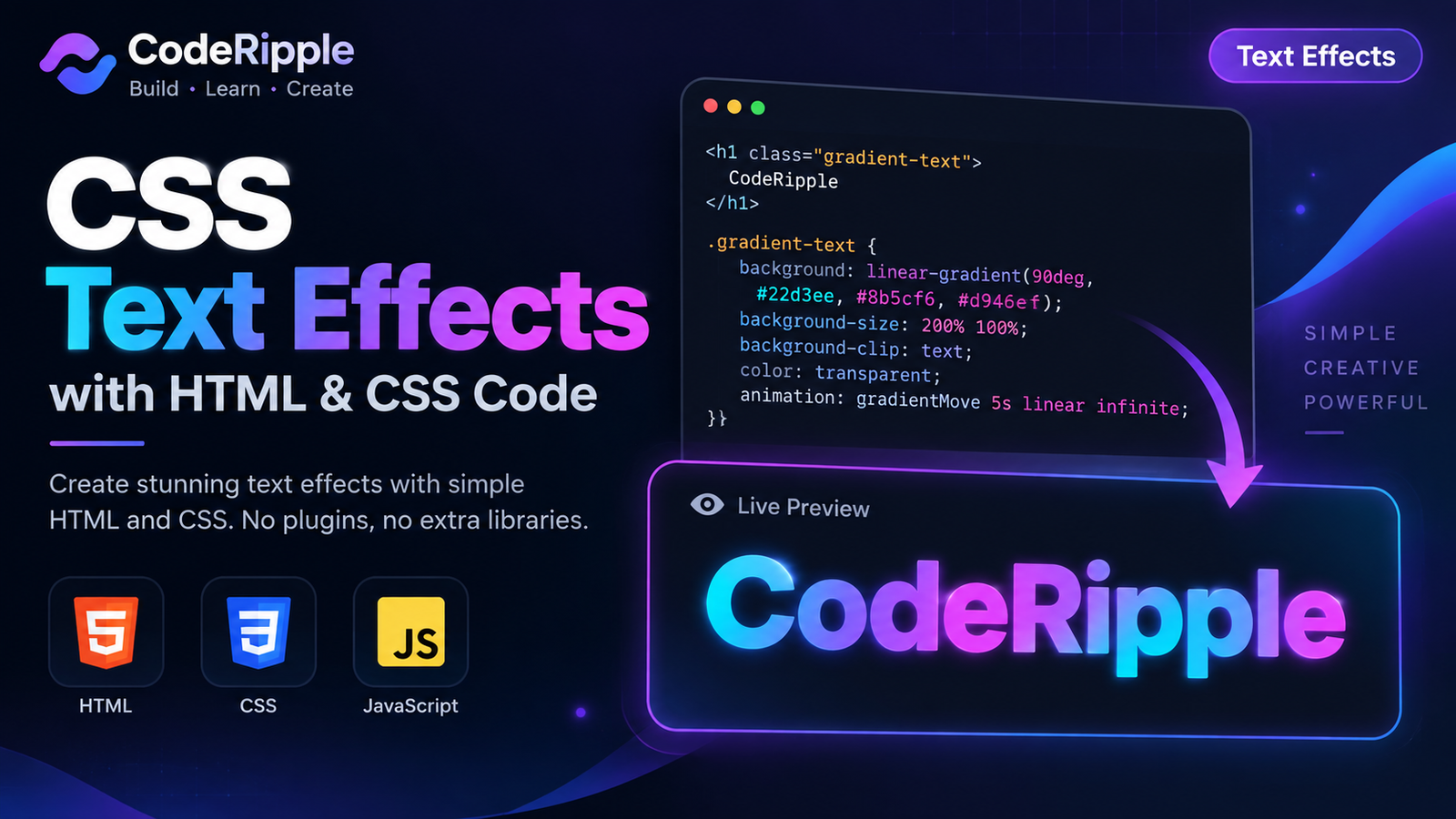
CSS text effects can turn simple headings and labels into eye-catching interface elements without relying on images or heavy libraries. From animated gradients and glowing text to hover effects, shadows, and creative typography, CSS gives you plenty of ways to make text feel more interactive. In this tutorial, we’ll build a practical text effect using HTML, CSS, and JavaScript, then explore more CSS text effects you can use in your own projects.
What We’re Building: A CSS Text Effect
In this tutorial, we’ll create an animated gradient text effect that adds smooth color movement to a standard heading. The effect is built with lightweight HTML and CSS, while JavaScript can be used to add extra interaction when needed. It’s responsive, easy to customize, and works well for headings, hero sections, banners, and modern interface designs.
Live Preview — Watch the gradient move across the text
CodeRipple
Add the HTML
Start with a simple heading element and give it a dedicated class for styling. This keeps the HTML lightweight and reusable, so you can apply the same text effect to headings, hero titles, banners, or other interface elements by simply changing the text content.
<h2 class="gradient-text">
  CodeRipple
</h2>
Style the Text with CSS
CSS creates the visual effect by applying a multi-color linear-gradient() directly to the text and clipping the background to the letter shapes. A larger background size combined with animation smoothly shifts the gradient across the heading, creating continuous color movement without images or external libraries.
.gradient-text{
  display:inline-block;
  margin:0;
  font-size:64px;
  font-weight:800;
  line-height:1.1;

  background:linear-gradient(
    90deg,
    #22d3ee,
    #8b5cf6,
    #d946ef,
    #22d3ee
  );

  background-size:300% 100%;
  background-clip:text;
  -webkit-background-clip:text;

  color:transparent;
  -webkit-text-fill-color:transparent;

  animation:gradientTextMove 5s linear infinite;
}

@keyframes gradientTextMove{
  0%{
    background-position:0% 50%;
  }

  100%{
    background-position:300% 50%;
  }
}
How the Text Effect Works
The effect works by placing a multi-color CSS gradient behind the text and using background-clip: text to restrict those colors to the shape of the letters. The text itself remains fully editable, while the animated background position moves the gradient smoothly from one side to the other. Because the effect is created with CSS rather than an image, you can easily change the wording, colors, size, speed, and typography without rebuilding the design.
Why Use CSS Text Effects?
CSS text effects help important content stand out without requiring extra images or heavy design libraries. They can add personality, movement, and visual hierarchy while keeping the text selectable, editable, and responsive across different screen sizes.
- Lightweight styling – Create visual impact using CSS instead of additional image assets.
- Fully editable text – Change the wording anytime without recreating the effect.
- Easy customization – Adjust colors, animation speed, font size, and typography.
- Responsive design – Text effects can adapt naturally to different screen sizes.
- Reusable components – Apply the same effect to headings, banners, cards, and other interface elements.
Where You Can Use CSS Text Effects
CSS text effects work especially well in areas where typography needs to attract attention while remaining readable and responsive. They can be used across websites, landing pages, portfolios, and interactive interfaces without adding unnecessary image assets.
- Hero sections – Make primary headlines more visually engaging.
- Landing pages – Highlight important messages, offers, or product names.
- Portfolio websites – Add personality to project titles and introductions.
- Call-to-action sections – Draw attention to important text and messages.
- Cards and banners – Enhance titles without making the layout feel heavy.
Customizing the Text Effect
You can easily customize the effect by changing the gradient colors, animation speed, background size, font size, font weight, and spacing in the CSS. You can also adjust the animation direction or replace the gradient with your own color combination to match the visual style of your website.
Try It Yourself
Want to experiment with the effect? Open the CodeRipple Playground, paste the HTML and CSS, and try changing the gradient colors, animation speed, font size, or text content. You can quickly preview each change and customize the effect to match your own project.
Final Thoughts
CSS text effects are a simple way to make typography more engaging without relying on images or heavy libraries. This animated gradient effect uses only a small amount of HTML and CSS, making it lightweight, responsive, and easy to customize. Experiment with different colors, animation speeds, and typography styles to create a version that fits your own website or project.
Explore More Text Effects
Explore more CSS text effects below and choose any animation or style you want to try. Click a component card to open it directly in the CodeRipple Playground, where you can see the live preview, access the ready-to-use HTML, CSS, and JavaScript code, and customize the effect in real time.
Gradient Text Effect
A clean animated gradient text effect that adds colorful movement to headings and titles. Copy the HTML and CSS for your own project.
Open in Playground →Neon Glow Text Effect
A bright neon-style text effect with layered glow and a subtle pulse. Copy the HTML and CSS for your own project.
Open in Playground →Typing Text Effect
A clean typing animation with a blinking cursor effect for headings, hero sections, and creative text highlights.
Open in Playground →Glitch Text Effect
A sharp digital glitch text effect with layered color shifts and quick distortion movement. Copy the HTML and CSS for your own project.
Open in Playground →Text Reveal Effect
A smooth text reveal animation that slides content into view with a clean masked effect. Copy the HTML and CSS for your own project.
Open in Playground →Wave Text Effect
A smooth wave animation that moves each letter up and down with a staggered motion. Copy the HTML and CSS for your own project.
Open in Playground →Shimmer Text Effect
A smooth shimmer text effect with a bright light sweep moving across the letters. Copy the HTML and CSS for your own project.
Open in Playground →Split Text Hover Effect
A creative split text hover effect where the top and bottom halves move apart to reveal a colorful layer underneath.
Open in Playground →Outline Text Hover Effect
A clean outline text hover effect that fills the letters with color when the user moves the cursor over the text.
Open in Playground →Blur Reveal Text Effect
A smooth blur reveal text animation that transitions from soft and hidden to sharp and clear. Copy the HTML and CSS for your own project.
Open in Playground →Letter Spacing Hover Effect
A smooth hover text effect that expands the spacing between letters and adds a subtle cyan glow. Copy the HTML and CSS for your own project.
Open in Playground →3D Shadow Text Effect
A bold layered text effect that creates a clean 3D depth using multiple shadows. Copy the HTML and CSS for your own project.
Open in Playground →Related Articles
Explore more CodeRipple tutorials covering CSS buttons, cards, forms, loaders, navigation menus, backgrounds, and cursor effects. Choose a topic below to discover more practical examples and ready-to-use code for your web projects.